[Goals for August 2025] Three things I will try to improve my illustration skills
Pochi
Reading in the sun and reading in the rain.

good morning.
This time, I bought from Muji. "A Schedule Book with an Overview of 2024" I'll summarize my impressions after actually using it for a month.
I'll give an honest review, covering everything from usability and contents to the pros and cons.
I want to know what kind of planner Muji's "Schedule Book with Overview" is.
I'd like to see how it's actually used and some examples of its application.
I'm curious if it's easy to use and if it's worth buying.
*I couldn't wait until December, so I've "modified" next year's December page and am using it as this year's November page. Therefore, please excuse the unusual way some pages are used.
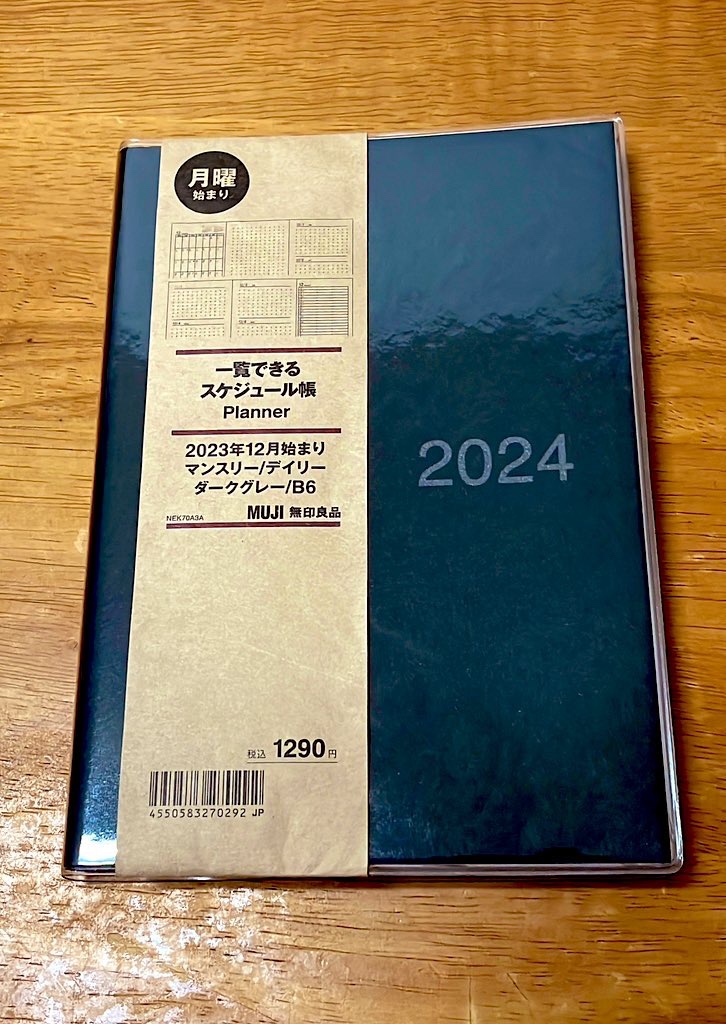

I chose dark gray.
The subdued colors give it a versatile look that's easy to use for both business and personal occasions.
MUJI's "2024 Schedule Planner with Overview" isA structure that allows you to view multiple pages simultaneously.That is its most distinctive feature.
Because you can manage your yearly, monthly, and daily schedules in one book,This is suitable for people who want to centralize their schedule management.
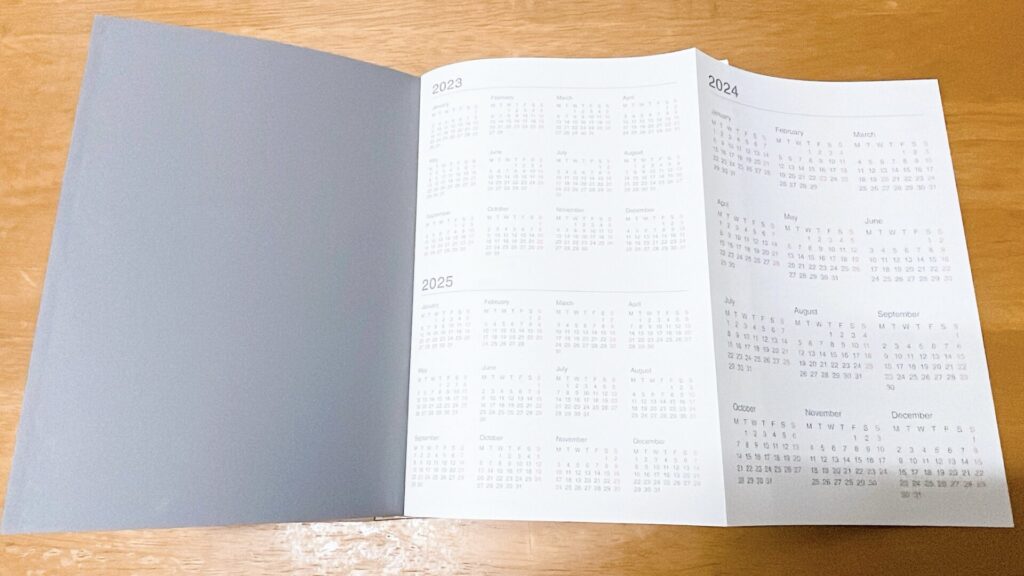
On the first page,Annual calendar for the three years from 2023 to 2025It is posted there. I haven't made any comments here,
This is useful for getting a rough overview of the year.
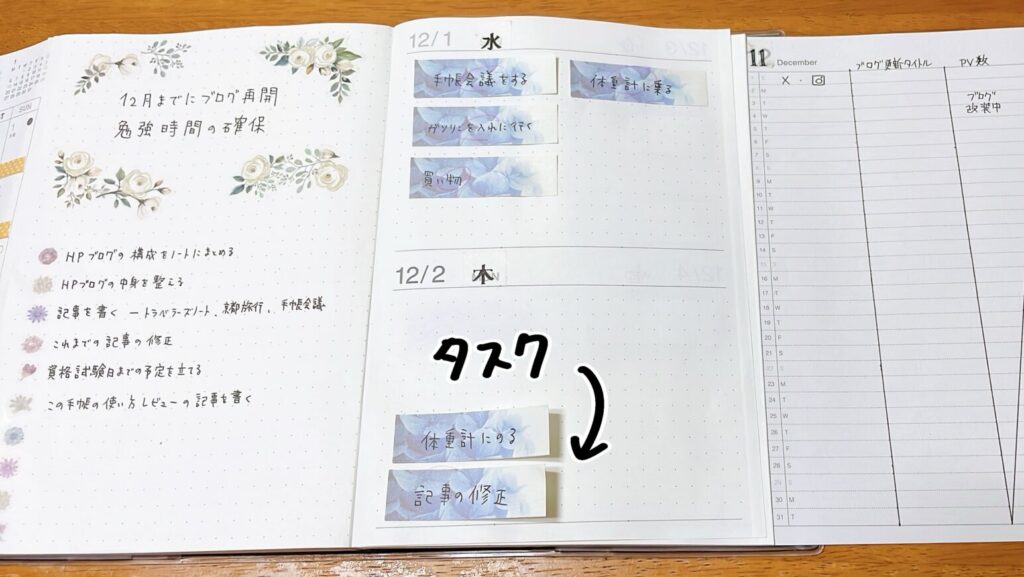
This notebook is Starts in DecemberFirst, a free space is provided that you can use freely.
The daily pages that follow are:A layout that allows you to view two days per page, or four days at a glance across a two-page spread.It is designed to be easy to use for both journaling and task management.
I use it for task management. A "portable sticky note" that allows you to flexibly adjust your schedule.“We are making use of it.
I can move tasks around according to my mood and progress each day, so I can continue without feeling overwhelmed.
The free pages include:
I write things like this down so that I can get an overall picture of the moon.
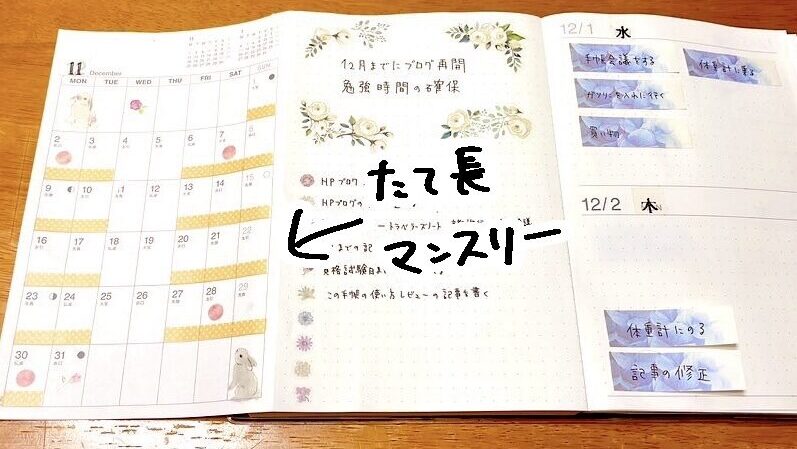
The monthly pages areThe structure allows for a significant increase in visibility by opening the free space section.It is as it is.
This system makes it easy to get an overview of your entire month's schedule and also facilitates integration with other pages.
The layout is vertical, and there is less writing space than in a typical monthly planner.
Therefore, I
etc. Visual management with stickers I am doing it.
I find it just right to be able to see the situation at a glance and then check the details of my work schedule in my work planner.
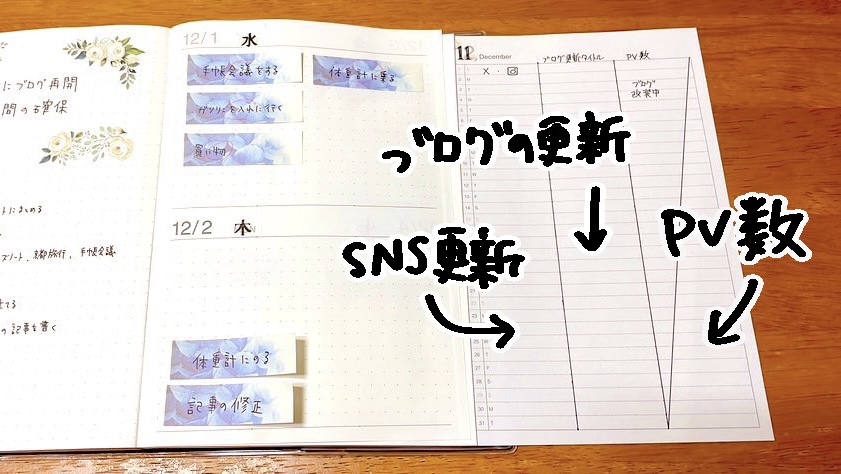
The vertical monthly pages were originally drawn with dotted lines.A layout that is easy to divide into three sectionsThis is how it is. I'm using these dotted lines to draw lines and divide it into three areas for operation.
The main things I'm using are the following three:
By separating them in this way,Communication activities can be managed at a glance.This is convenient. The way I use it might change in the future, but for now, I plan to continue with this style.
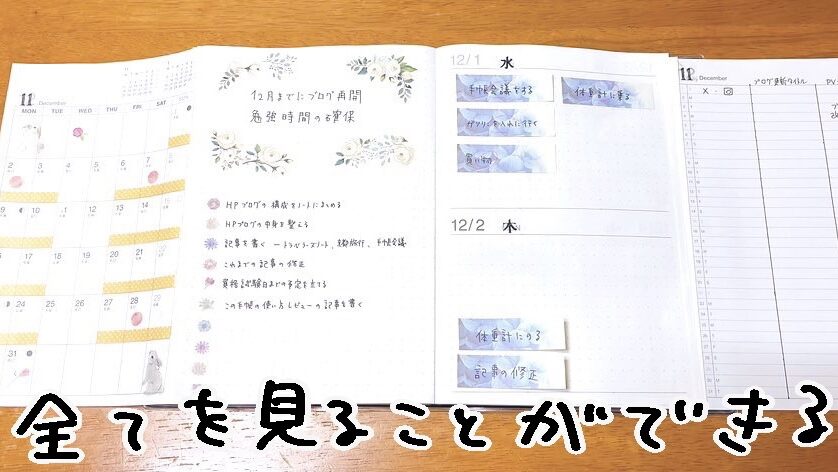
The best thing about this planner is,A structure that allows you to view up to 4 pages simultaneously.By opening the page wide, you can view multiple pieces of information at once, such as daily, monthly, and free pages.
Because it opens so wide that it cannot be captured in a single photograph,
etc.Those who have a lot to manage will appreciate its ease of use.It should be.
The biggest advantage is that you don't need to switch between multiple notebooks or planners; you can manage your schedule entirely in this one book.
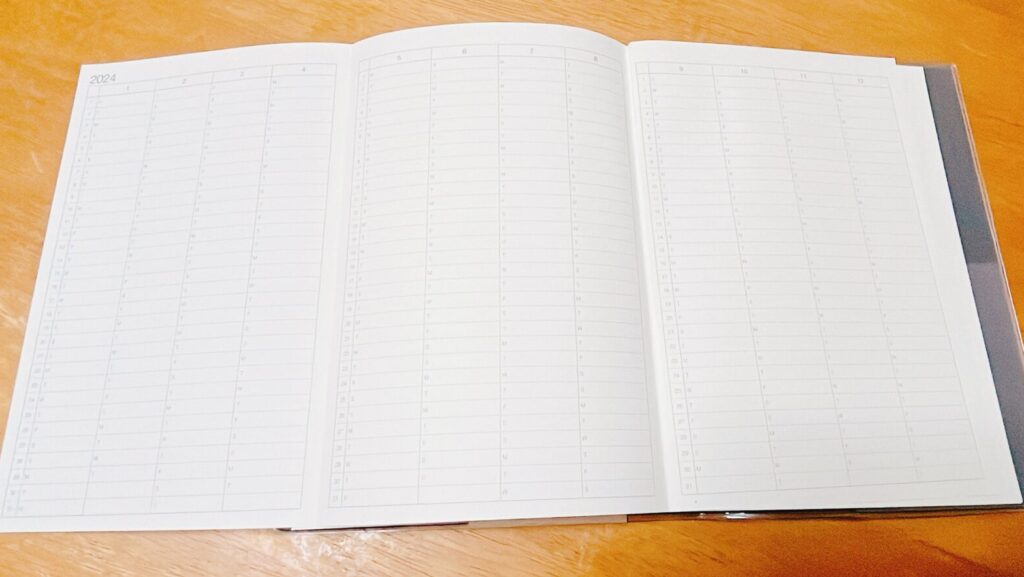
Once you finish the December page, next Annual Schedule It will appear.
The printing is a bit faint and some parts are difficult to read, but depending on how you use it, this page can be very useful.
The annual schedule is,
This is ideal for situations where you want to see a summary of changes over the course of a year.
I found this page For weight management I use it, and I like that I can see the daily changes at a glance.
After the annual schedule,Approximately 15 pages of free dot grid paper. This space continues, serving as a free-use area for notes, ideas, study logs, and more.
Using sticky notes to manage things seems to work well for me, and I've been able to stick with it.
I'm not the kind of person who can stick to a schedule very well, so the fact that I can travel freely suits me.
Of course, there were some aspects that I found difficult to use, so I'd like to share those as well.
After using it for a month, my impression was:It works very well with task management using sticky notes.That was the situation.
I'm not very good at sticking to a schedule, but with sticky notes, I can easily move tasks around, so I'm able to keep up without any difficulty.
However, there were some "inconvenient aspects" that I noticed after actually using it, so I'll be honest about those.

If you open and close it repeatedly for about a month,The cover gradually shifts and lifts up.This problem arose.

I'm so glad I got a planner It opens flat, 180 degrees.It's a shame that the cover gets in the way, even though it's part of the design.
Therefore, I decided to take the plunge. Remove the cover before use. Yes, it works. It was difficult to remove at first, but I got used to it and can now remove it easily.
Aside from the cover, I haven't noticed any major problems so far.
The paper quality is perfectly fine for writing with a ballpoint pen, and I don't notice any bleed-through.
That's why, to be honest, I feel that the cover design is the only thing that's really disappointing.
After using it for a month, my impression was:A planner that is easy to write in and easy to manage.That's the point. It opens completely flat, 180 degrees, so you can write on any page without any stress.
Furthermore, thanks to the structure that allows you to view multiple pages simultaneously, It's incredibly useful as a "mother ship notebook" that lets you grasp the overall picture of your schedule in an instant.I am doing it.
It has become almost my primary planner.

Being able to visually confirm what you've accomplished significantly boosts your self-esteem!
By making tasks and schedules "visible,"
It's easy to feel a sense of accomplishment each day, which helps maintain motivation to continue.
I've tried many different planners,This is the first time I've seen a book that allows you to view four pages at a glance, and as someone who loves new things, I absolutely adore it!That's it.
It works particularly well with task management using sticky notes, and so far, this method of operation suits me best.
I currently use it almost exclusively for studying, Sufficient space is provided for progress management.Therefore, this planner is especially recommended for those who are studying.
Daily tasks and learning volumeVisualizationThis helps maintain motivation.
・・・・・・・・・・・・・・・・・・・・・・・・
If you found this article helpful and would like to support it,
Receiving encouragement from OFUSE is very motivating.
Your support will be instrumental in creating illustrations and updating my blog.
Thank you very much for reading to the end.
Thanks to everyone who always reads my work, I can continue to create.
I look forward to your continued support.
[2025 Edition] I've compiled a detailed explanation of the note-taking techniques and management methods I actually use here.
 MUJI "Listable Schedule Planner 2024" Review! Pros and Cons After One Month of Use
Once you've decided on the "framework" for your schedule book or notebook, the important thing is the "internal system" you have for how to use that framework.
I've shared my current method for using notebooks, "A New Notebook Method That Works Well for Me as an INTP," here.
MUJI "Listable Schedule Planner 2024" Review! Pros and Cons After One Month of Use