Making a living through illustration! My 5-step action plan for becoming a freelancer
Pochi
Reading in the sun and reading in the rain.
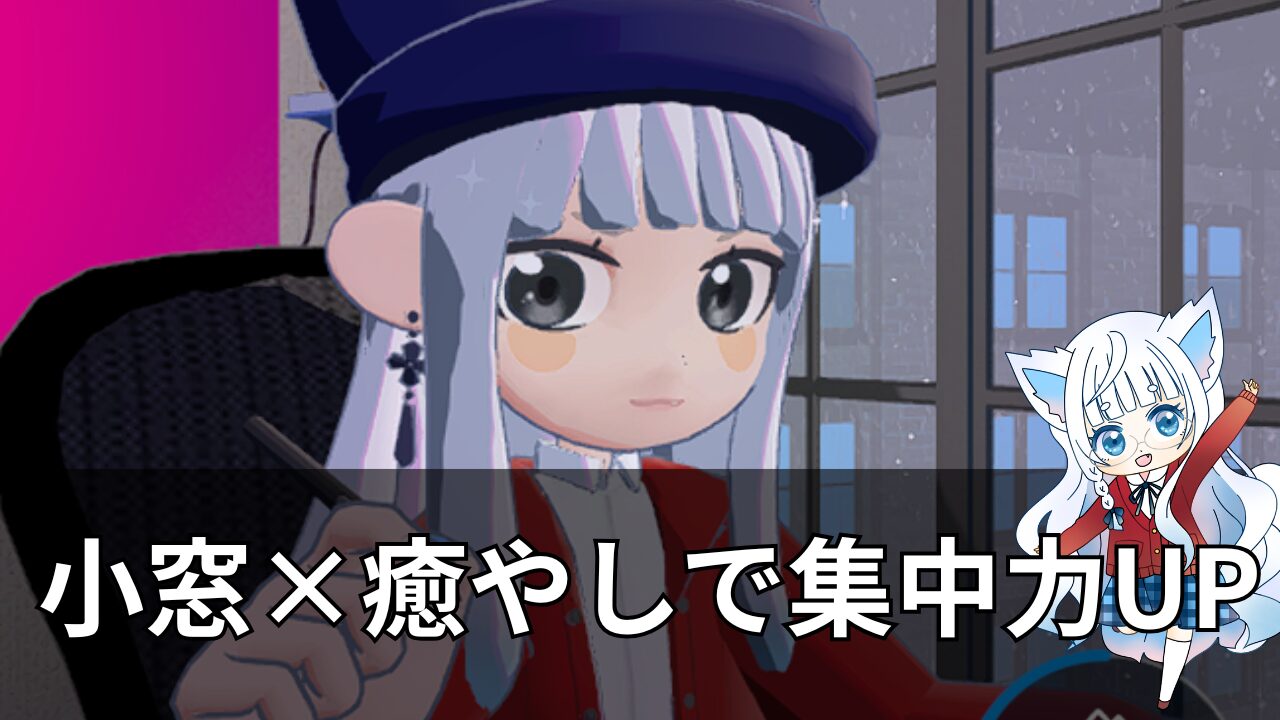
I want to concentrate on my work, but for some reason I keep getting distracted.
At that time,I just thought it was a "game to play in your room." gof But, unexpectedly, he became a savior.
I had been using the app version for a while, but when I bought a new PC, I decided to try the Steam version—The ability to minimize windows is incredibly convenient, and it has dramatically increased my work efficiency.
The avatar, sitting neatly at the edge of the screen, is unobtrusive yet has a strong presence.
・BGM for work
・Environmental sounds
Pomodoro timer
Task management
All of these can be used with just one click,The ultimate work partnerThat's it.
Moreover, if you make your avatar resemble your favorite character,It feels like I'm working while being watched over by my favorite idol. It comes with the ultimate relaxation experience, allowing you to savor the flavors.
In this article, I will share my impressions after actually using it.
"Gogh isn't just a room-designing game; it's a godsend as a tool for improving work efficiency."
I will explain why I can say this with certainty, along with specific examples of how to use it.
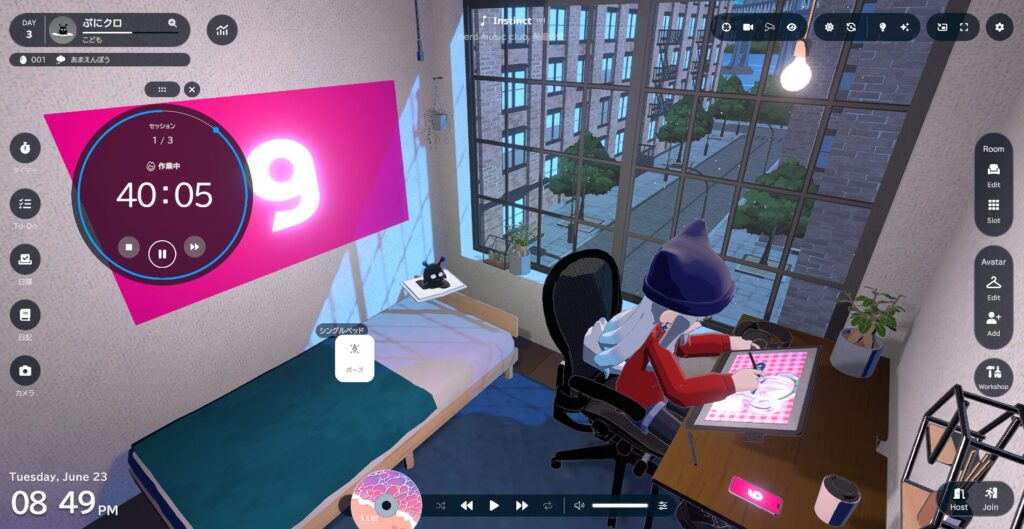
"gogh" is a game based on the concept of sharing a workspace with others, and it seems that many users enjoy creating rooms and interacting with each other.
But what I want to strongly recommend is “A new way to enjoy it: "using it as a mini-window"。
The PC version of Gogh has a feature that allows you to keep your avatar running as a small window, and thisExcellent compatibility with the work.That's it.
When you zoom out to a smaller window, your avatar will sit neatly at the edge of the screen.
It doesn't encroach on other windows, so your workspace remains unchanged.
At the same time, a sense of "working together with someone" is created in the corner of your vision, naturally creating an environment where it's easier to concentrate.
Just having an avatar subtly enter your field of vision lessens feelings of loneliness."Okay, let's try a little harder."That feeling naturally arises.
If the character is based on your favorite character, the effect will be even greater.
Because the remaining time is visible in the small window, it's less likely to disrupt the rhythm of concentration and rest, and the key point is that you can naturally engage in short bursts of focused work, thinking, "I'll just push through for another X minutes."
Since I don't need to open a large window, my workflow doesn't get interrupted.
You can quickly adjust the volume and stop playback, allowing you to optimize your sound environment without disrupting your work rhythm.
There are 25 types of ambient sounds.It also has the added appeal of being able to switch between them depending on your mood.
Being able to add tasks the moment an idea comes to mind is incredibly convenient.
Because it can be opened with a single click from a small window, you'll never forget to write something you intended to write later.
Because there's no need to open or close large windows, the "switching cost" during work is virtually zero.
This is incredibly effective for maintaining concentration.
Clicking on the avatar in the small window will make it smile.
These small moments of comfort add up, and the stress I feel while working suddenly lightens.
Gogh doesn't have a chat function, so you won't be interrupted by notifications.
The appeal of having someone simply "be there" is that it helps regulate the rhythm of my work.
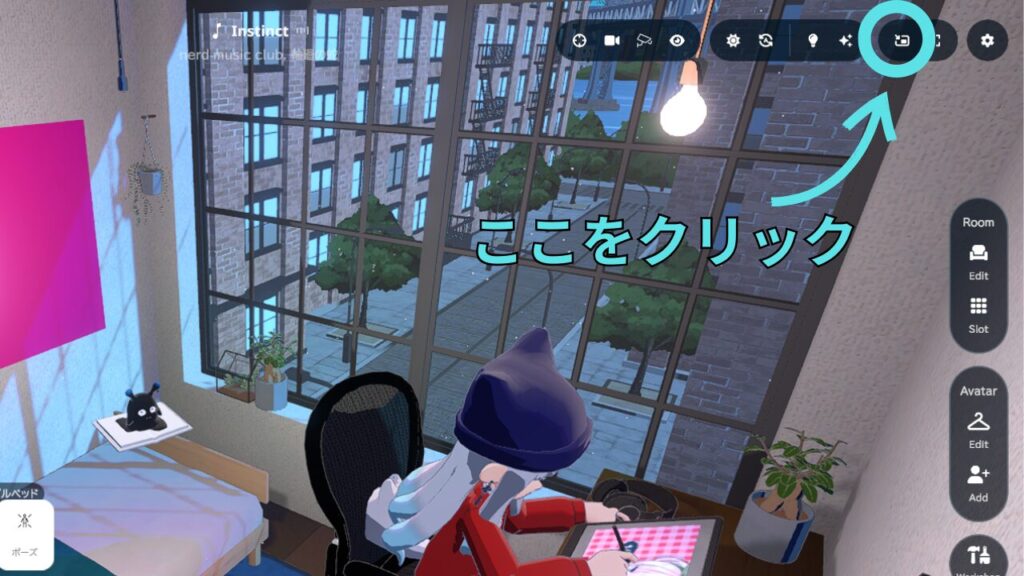
Gogh's mini-window mode is a convenient feature that allows you to keep your avatar running in a window that doesn't get in the way of your work.
Simply click the "small window icon" in the upper right corner of your room or someone else's room, and a small window will appear at the edge of the screen.
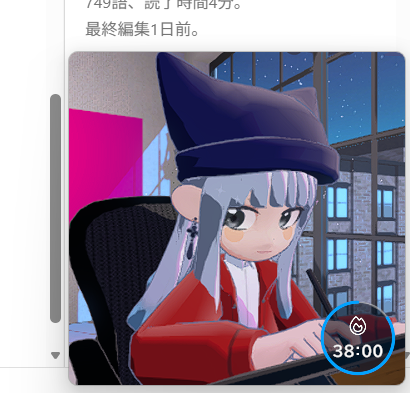
A small window will appear like this.
This small window is truly excellent; not only can you work while viewing the character's expressions, but you can also control the remaining time on the Pomodoro timer and the background music for your work directly from it.
Rather than playing in my room, I“"A work style with a small window always in place."”I found it overwhelmingly easier to use.
Furthermore, if you customize your avatar to resemble your favorite character, you can enjoy the feeling that they are quietly watching over you from the corner of your eye.
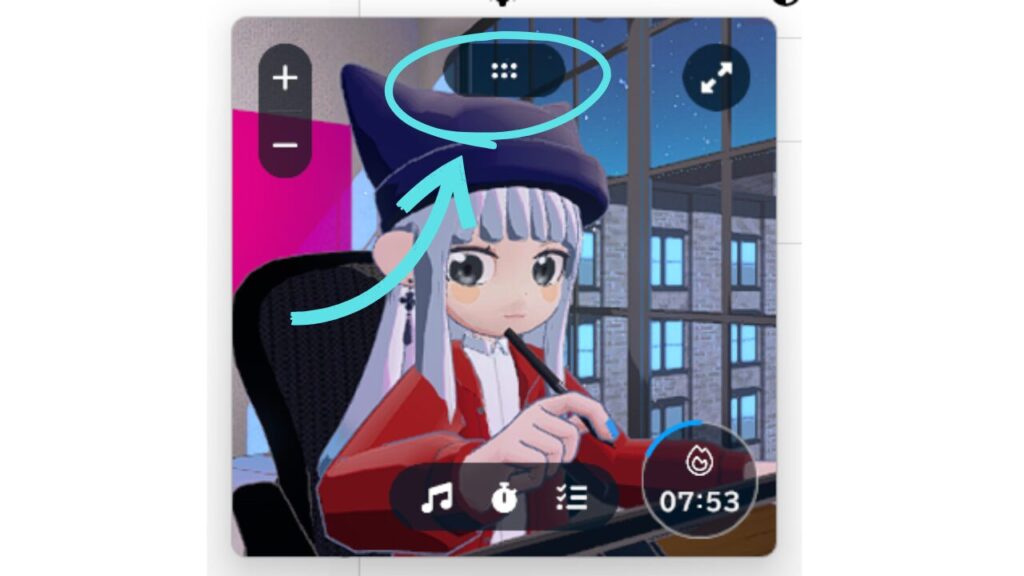
If you're unsure about its position, you can drag the six-dot icon at the top to move it to your desired location.
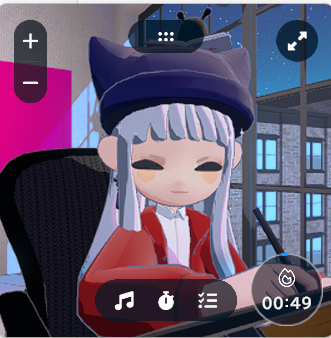
The fact that the avatar smiles when you click on it is another charming feature unique to the small window.
So cute! ( *´艸`)
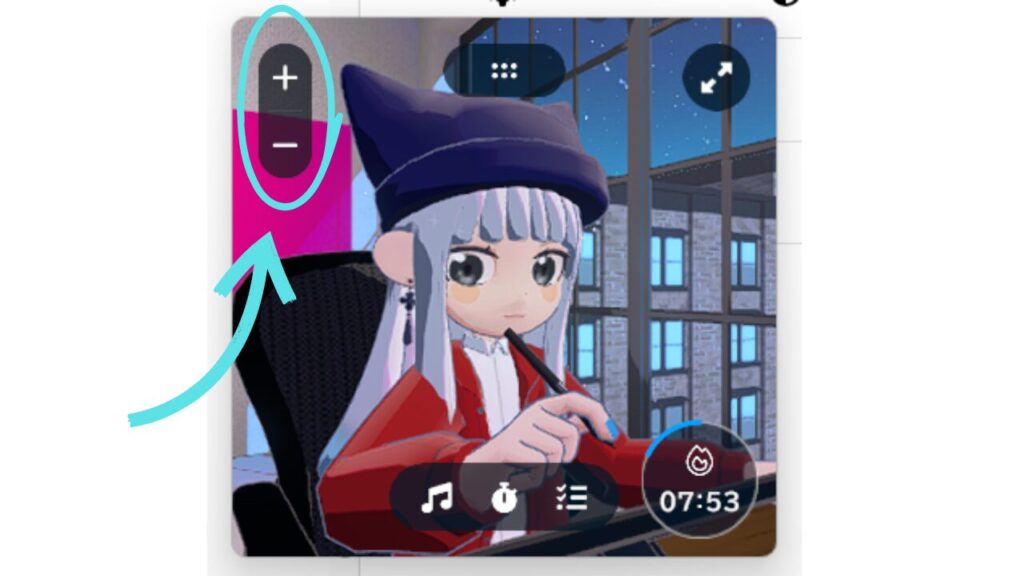
The size of the small window can be adjusted using the "+" and "-" buttons.
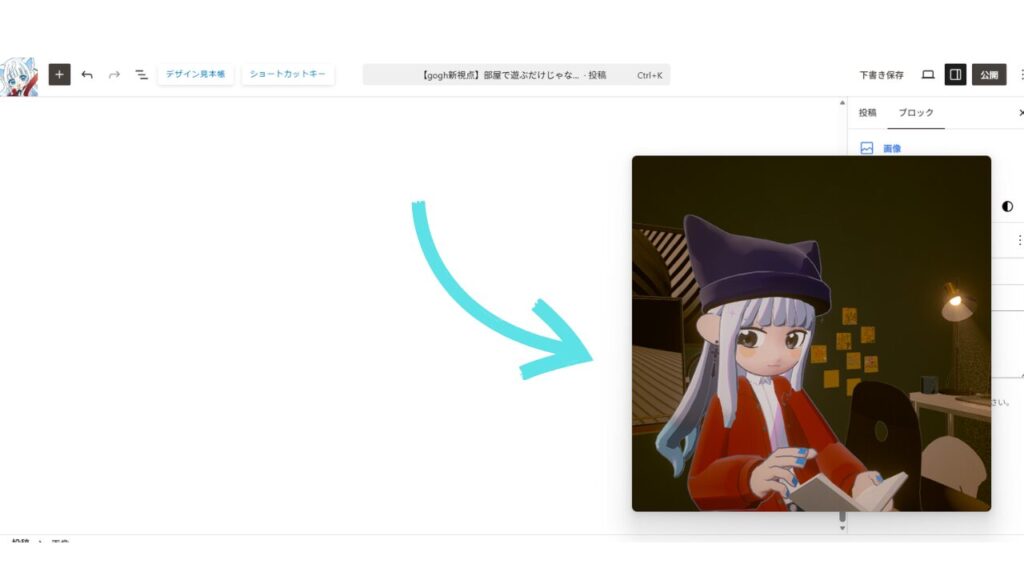
When set to its maximum size, it gains a strong presence, creating a sense of reassurance as if it's working alongside you.
The smallest size won't get in the way of your work, but it might feel a little lonely.
The initial size suited me best.
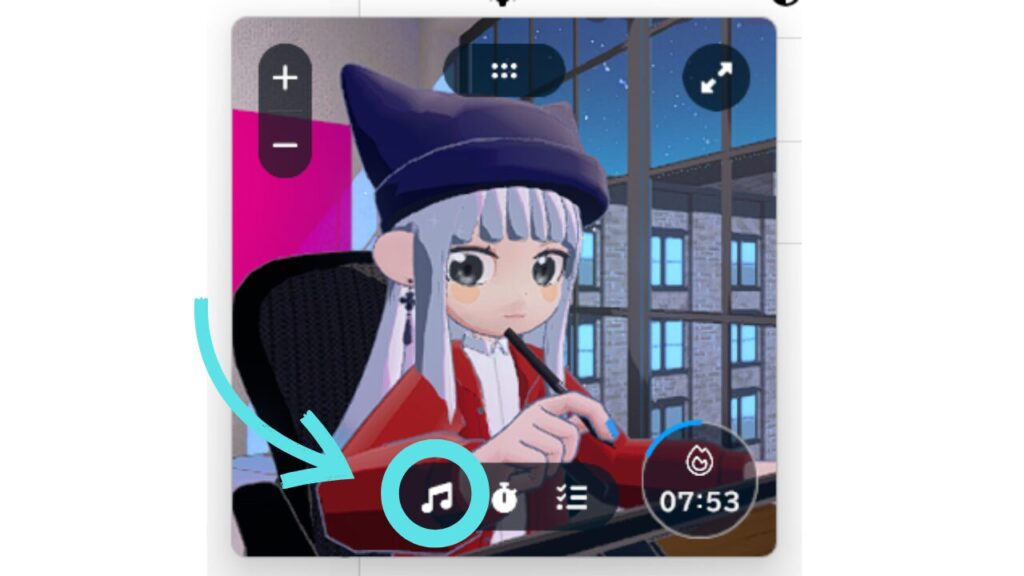
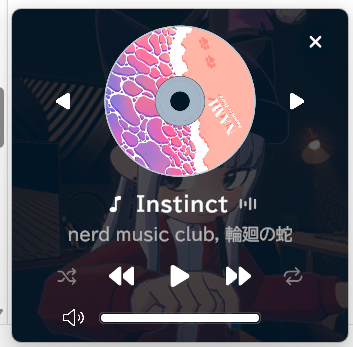
You can play, stop, and adjust the volume of the background music while it's still in the small window.
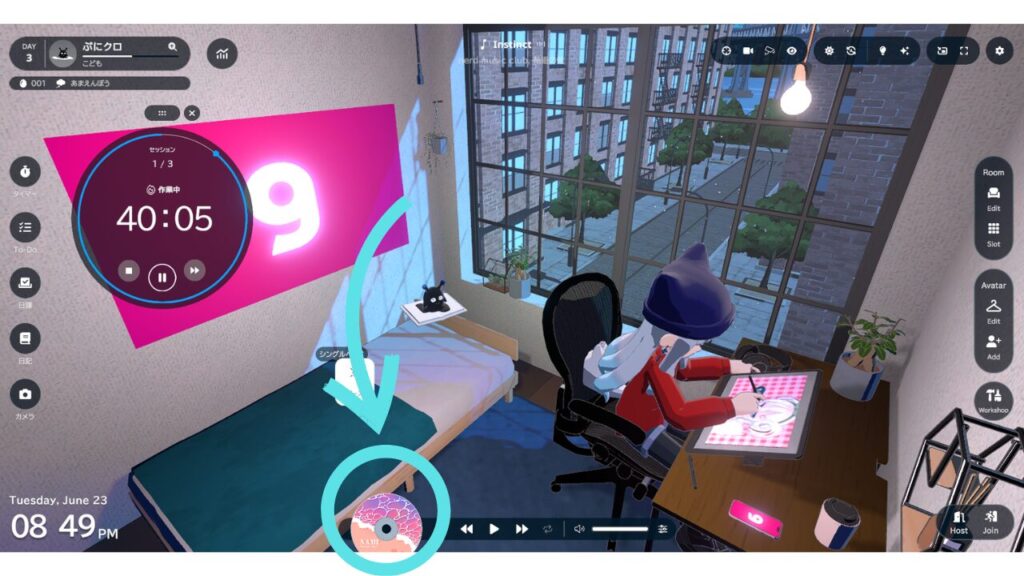
If you want to change the ambient sound, you can do so from the CD icon at the bottom of the main window.
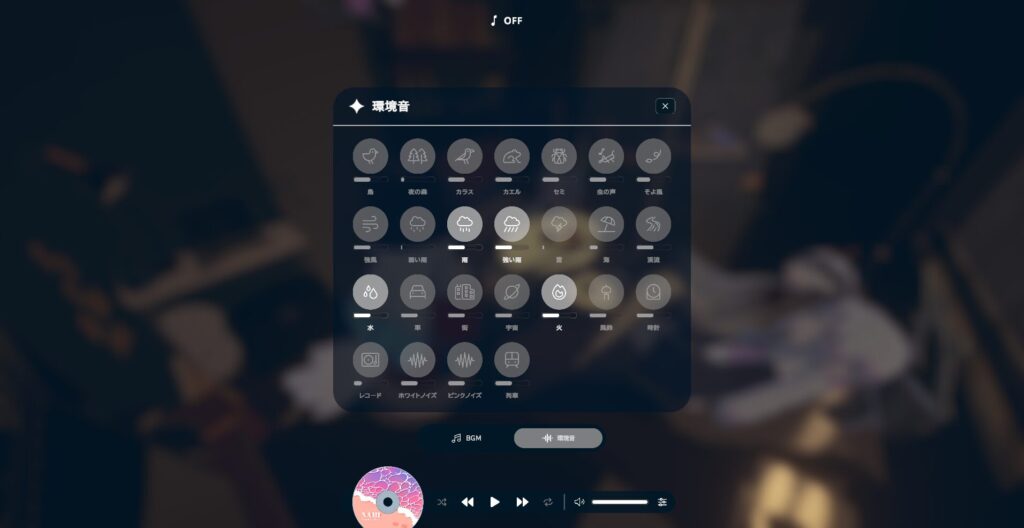
There are 25 different ambient sounds, and my favorites are "rain," "heavy rain," "water," and "fire."
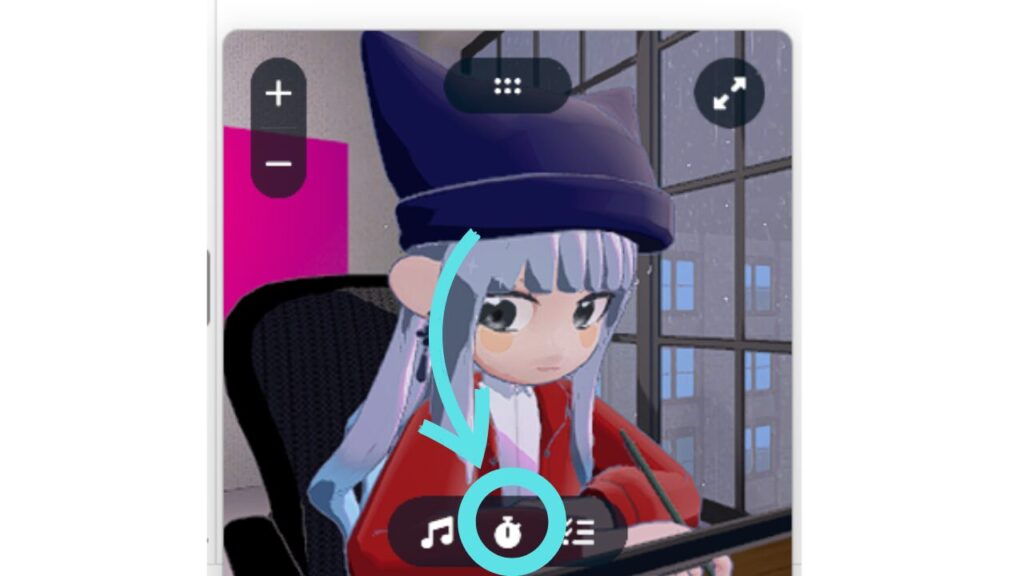
Clicking the clock icon will switch to the Pomodoro timer settings screen.
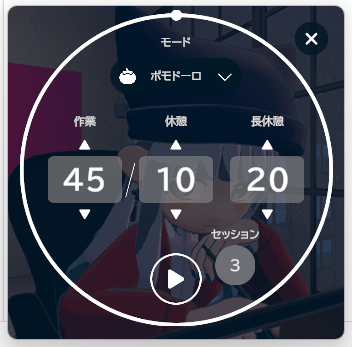
Press "▶" to start immediately.
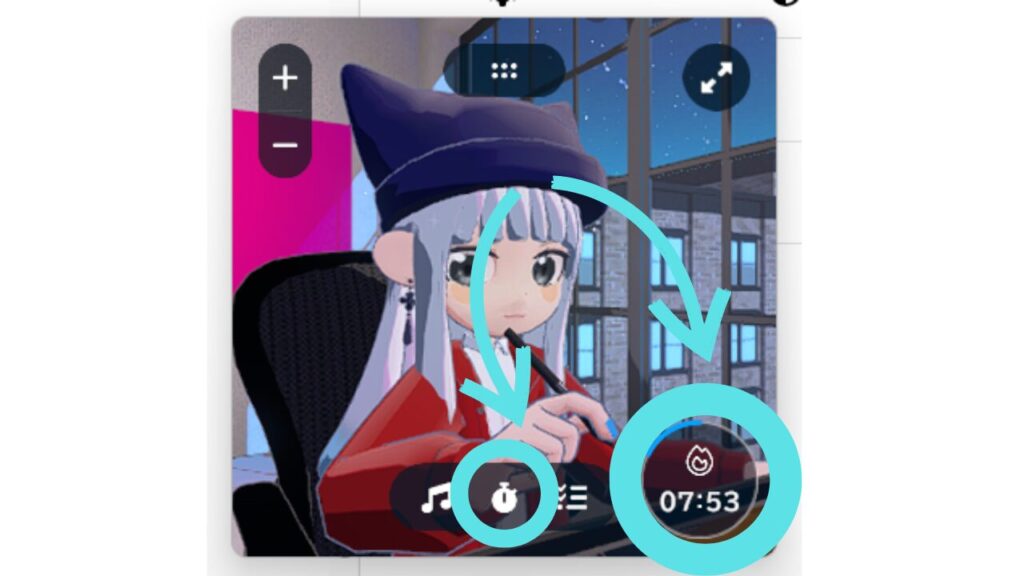
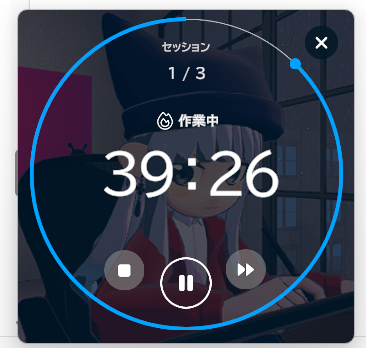
Furthermore, pressing the icon at the top will display the remaining time across the entire screen, making it ideal for those who find it difficult to concentrate just by looking at the characters.
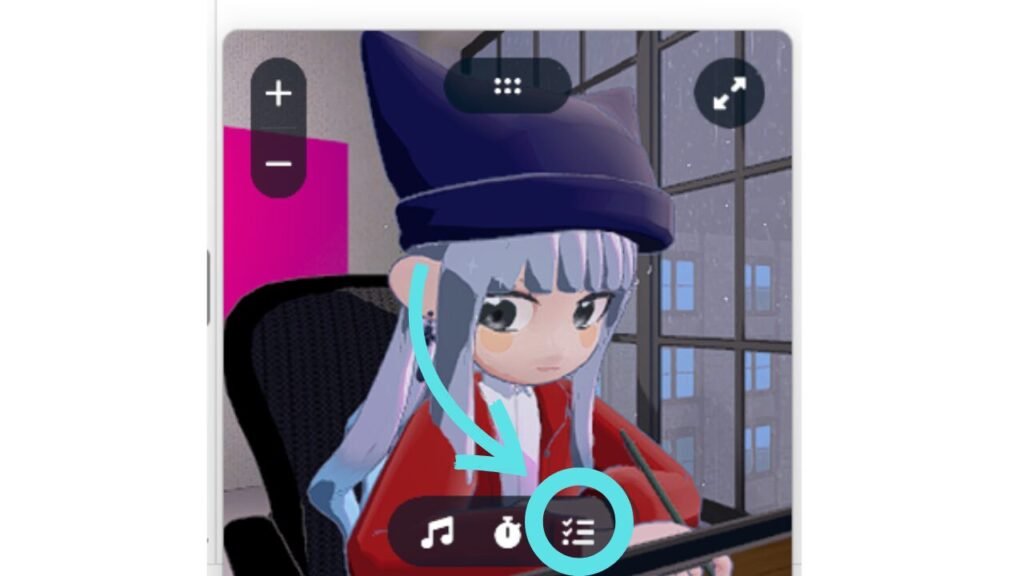
Clicking the task icon will open the task management screen.
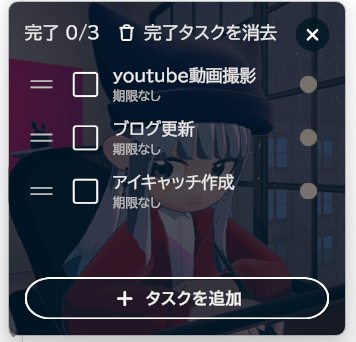
You can add tasks the moment you think of them, making it less likely you'll forget what you need to do.
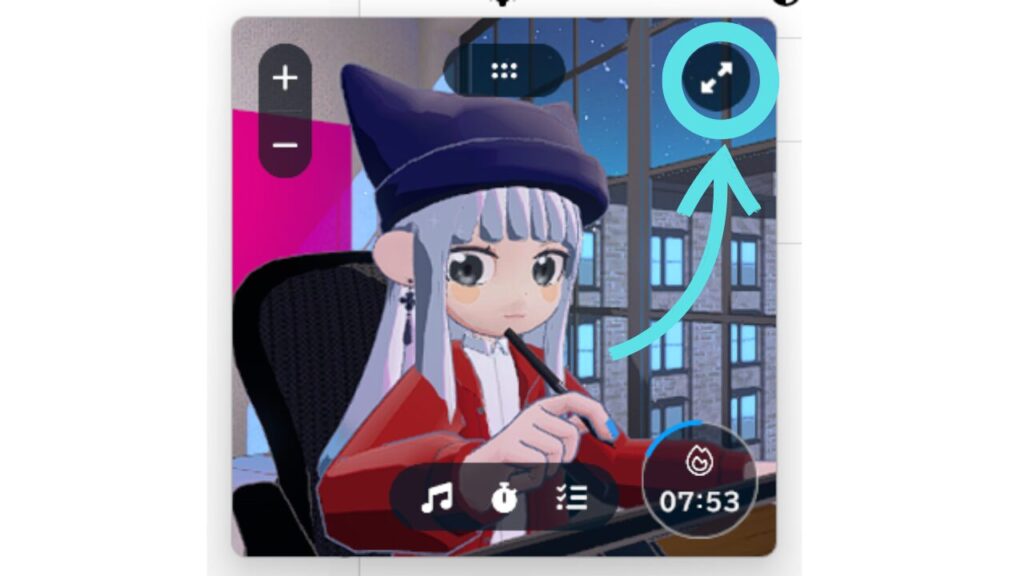
To return to the previous screen, simply press the arrow icon.
When working in mini-window mode, you won't be able to respond if someone enters the room and the doorbell rings.
When you want to interact with others, it's safer to switch back to the normal-sized window.
You can play and stop the background music even in the small window, but you cannot change the type of ambient sound.
If you want to make changes, you will need to return the window to its original size and then apply the settings.
I usually use a Gogh on my gaming PC for work.
 [Work Environment Hack] Maintain Concentration Automatically! The Ultimate Way to Cut Off Screen Temptations by Minimizing 'gogh'
However, I once had an experience where I was almost pressured into buying a 400,000 yen PC, and I've written an article summarizing that experience.
I think this will be helpful for PC beginners to avoid making the same mistakes, so please read it if you're interested.
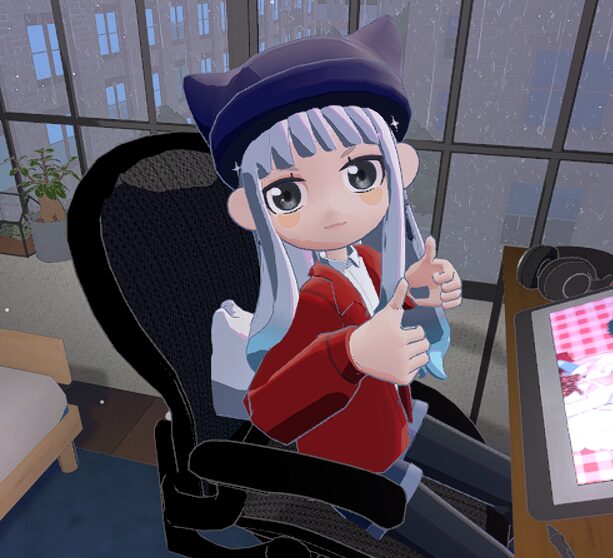
Do you struggle to focus on work, studying, or other tasks, but just can't seem to get into the mood? If so, I highly recommend the Steam version of Gogh.
1,380 yen(As of June 2026) With a one-time purchase, you get: • Background music for work • Ambient sounds • Pomodoro timer • Task management • Relaxing avatars All of these are brought together in "one small window".
If you want to increase your productivity, you should definitely try this. It really speeds up your work.
・・・・・・・・・・・・・・・・・・・・・・・・・・・
If you found this article helpful and would like to support it,
Receiving encouragement from OFUSE is very motivating.
Your support will be instrumental in creating illustrations and updating my blog.
Thank you very much for reading to the end.
Thanks to everyone who always reads my work, I can continue to create.
I look forward to your continued support.