[Heart Forecast 0] How to play YouTube shorts frame by frame! A miraculous technique to solve animation inconsistencies
Pochi
Reading in the sun and reading in the rain.

"Cookie making" is currently trending on YouTube.
I was drawn to its adorable atmosphere, so this time I recreated it in illustrations and also made a video.
In this article,Cookie Makeup: Features, Illustration Drawing Techniques, and Video Creation Procedure in Procreate DreamsI will introduce these three together.
This time too, my usual partner,iPad Air × Procreate × Apple PencilI used Procreate. It's incredibly cost-effective at just 2,000 yen for a one-time purchase, so I highly recommend it to anyone who owns an iPad.
To make it into a videoProcreate Dreams (one-time purchase: 3,000 yen)I also use it.
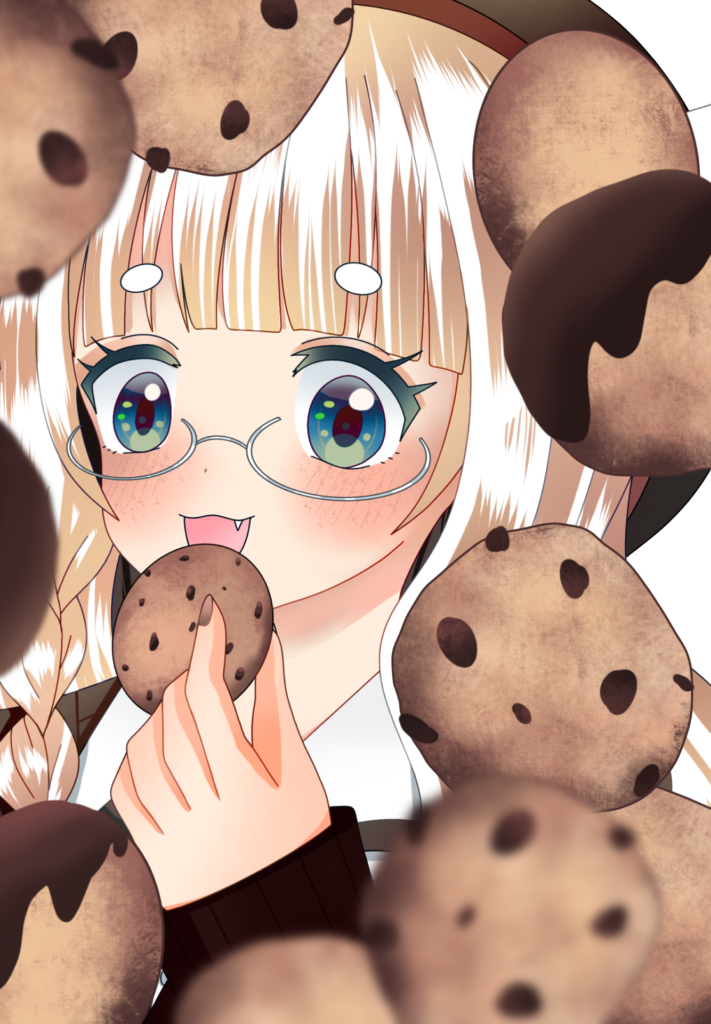
Cookie makeup refers to makeup that is inspired by baked goods such as cookies.
By layering orange, coral, and pink tones, with brown as the main color,A soft and sweet atmosphereIts distinguishing feature is its ability to create a certain atmosphere.
It seems to be popular as a cute, delicious-looking, and trendy makeup look.
First, I'll draw the base illustration using Procreate.
after that,Save with the color layers separated.Doing so will make processing easier.
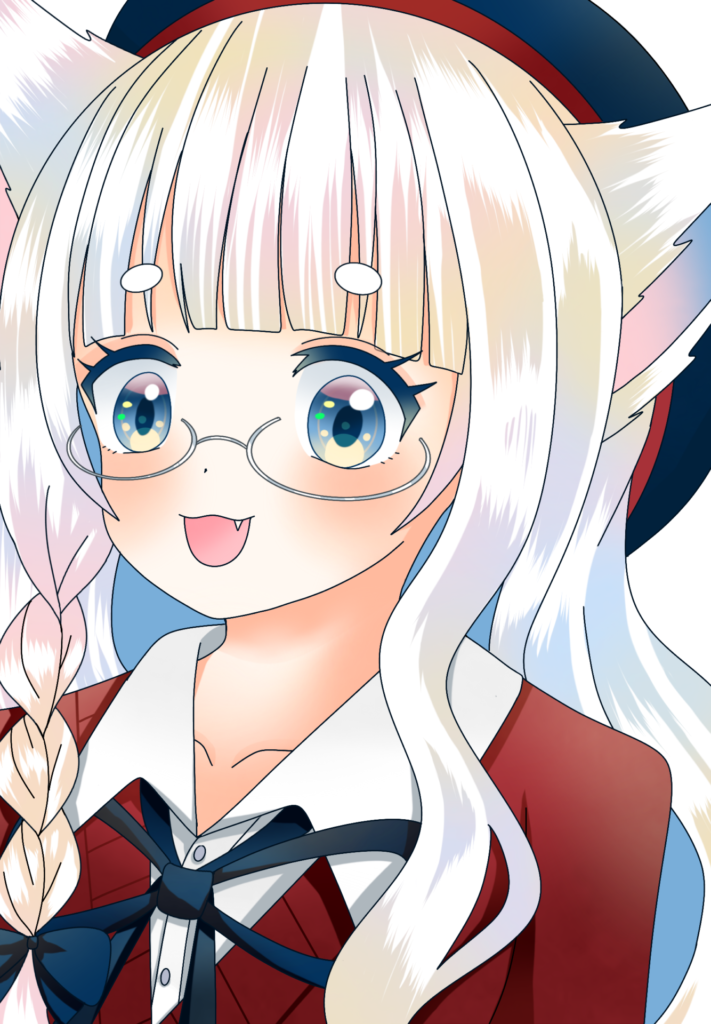
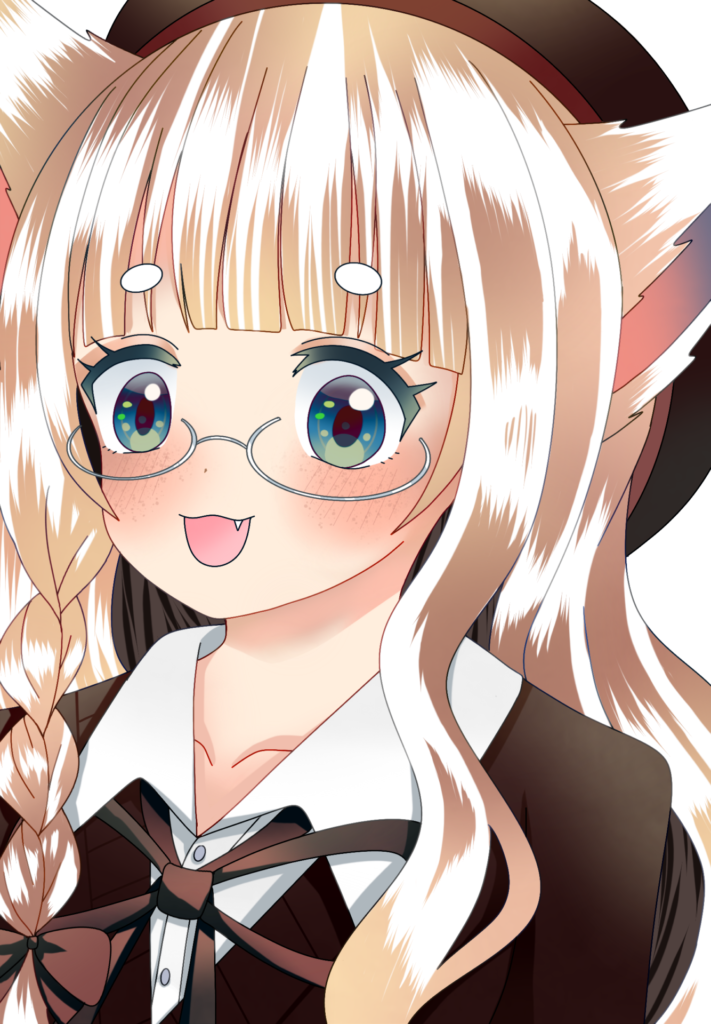
This step alone will give it a soft, sweet feel.
Cookie makingAdding freckles instantly gives it that "realistic" look.That's the key point.
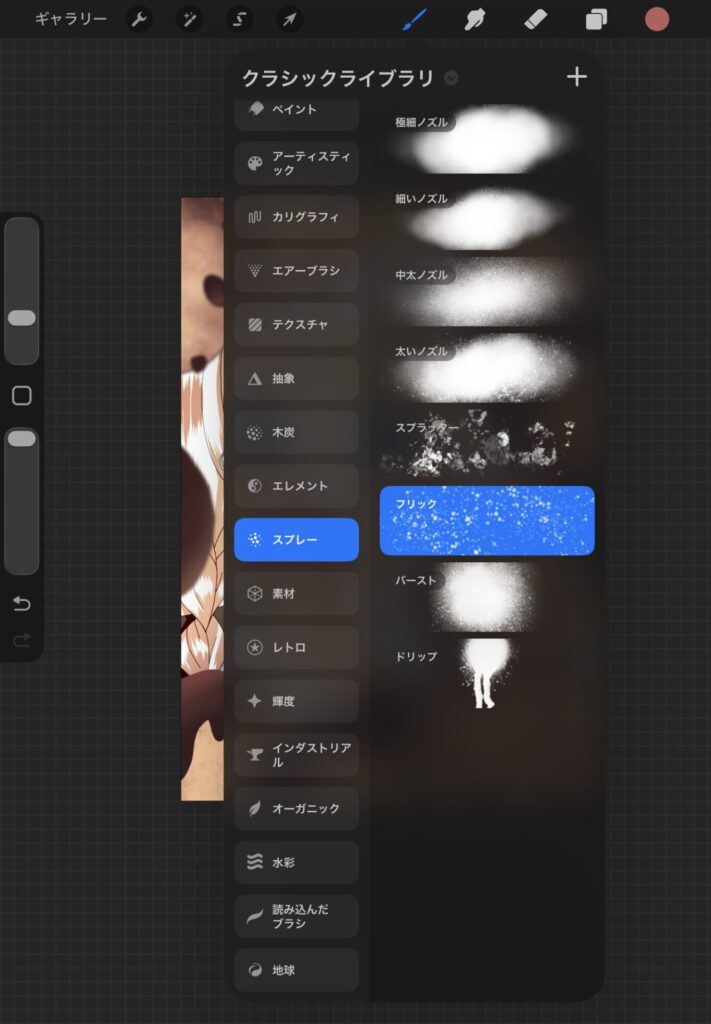
Using the "Flick" spray brush included in Procreate, you can easily create natural-looking freckles.
However, if you leave it as is, it tends to become too dark.
These two steps will result in a soft finish.
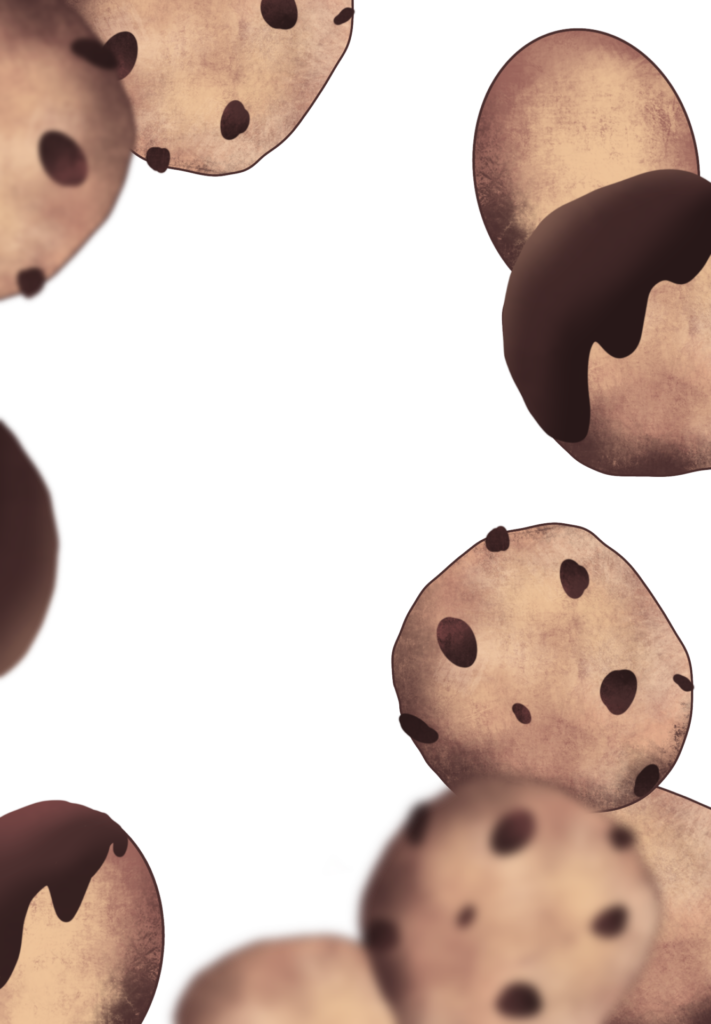
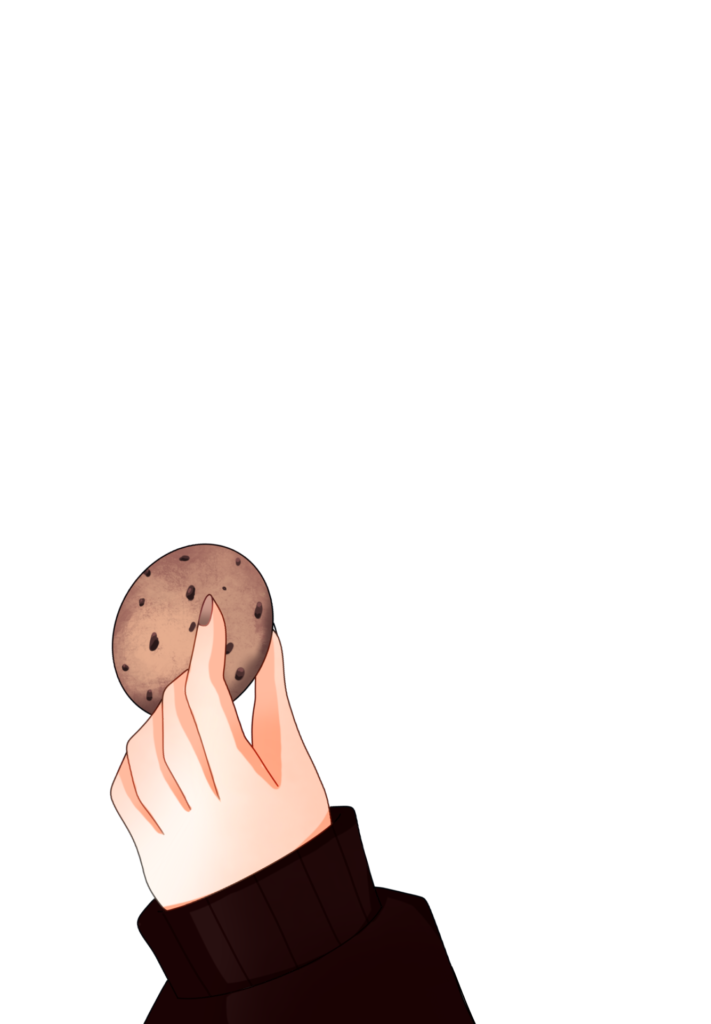
I also tried drawing some materials like this and making them animate.
Since I didn't have much material this time, I saved the illustration I drew in Procreate as a PNG file.
I imported four images into Procreate Dreams and ran them.
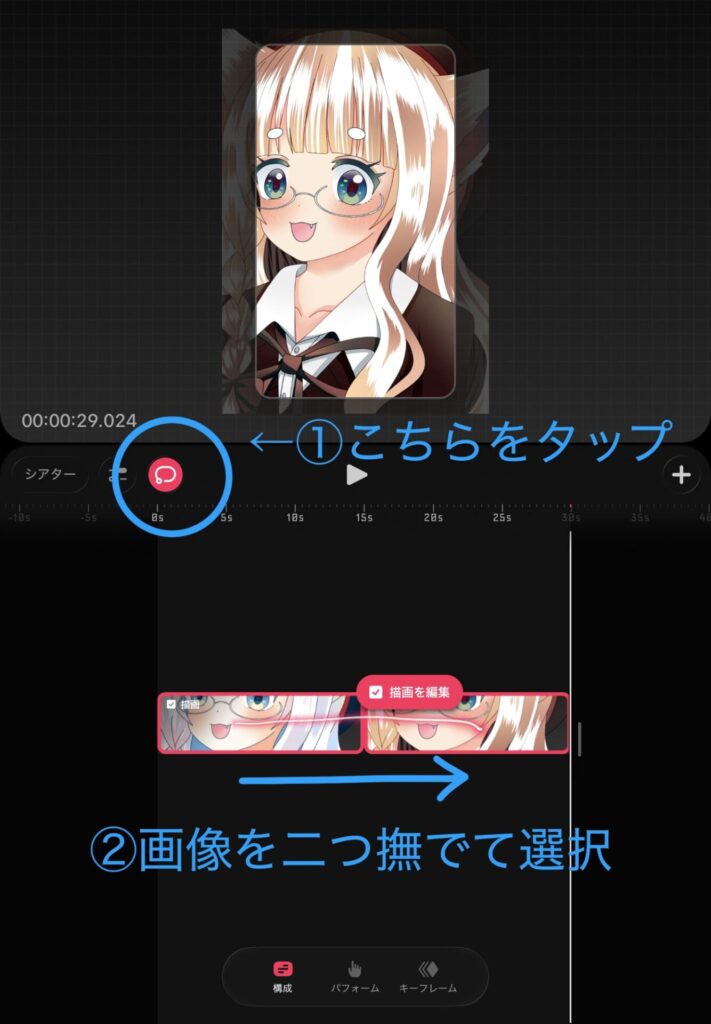
Tap the mark ① to select the images you want to group.
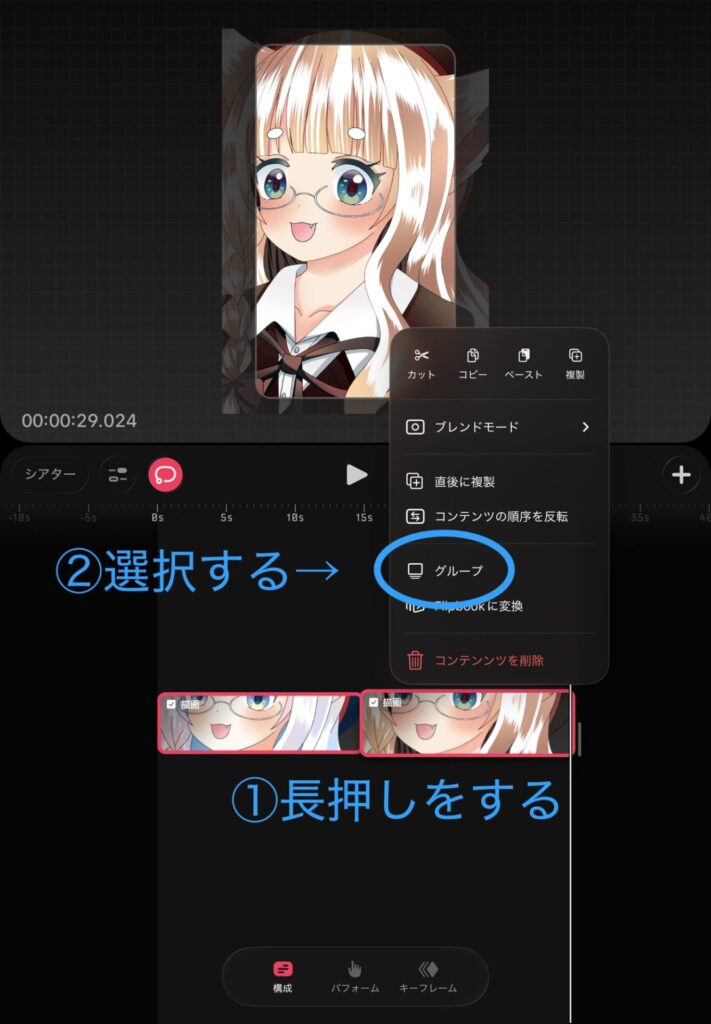
Press and hold the image you selected earlier, then tap group ②.
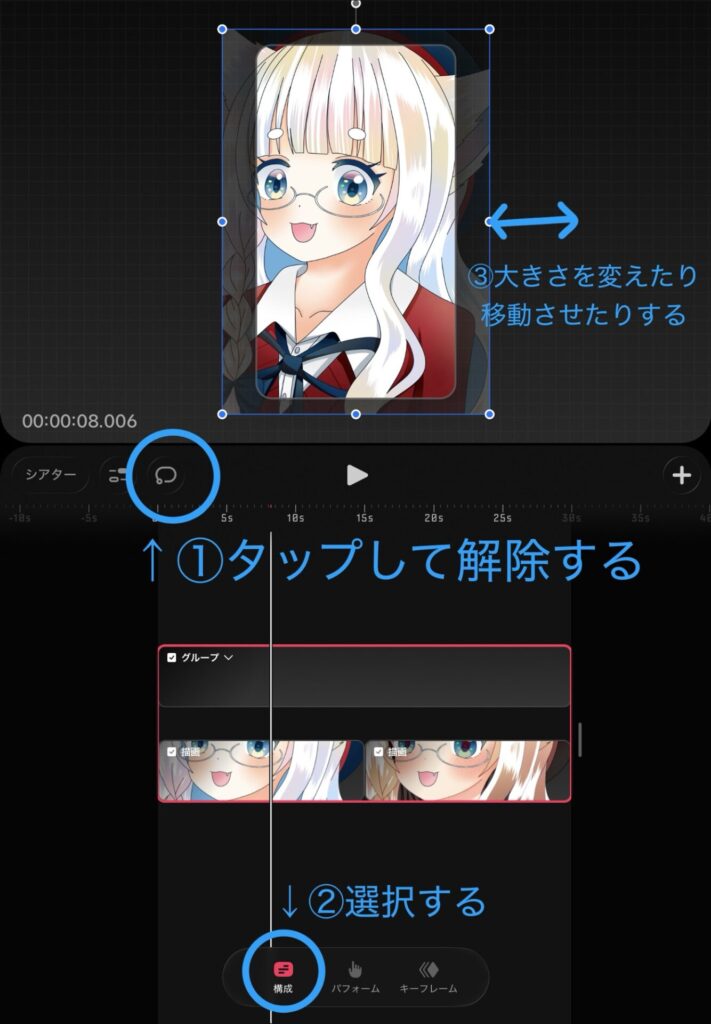
Tap ① to deselect, then tap Configuration.
Now, even if you change the position or sizeImages within the group are aligned to the same size and position.will become
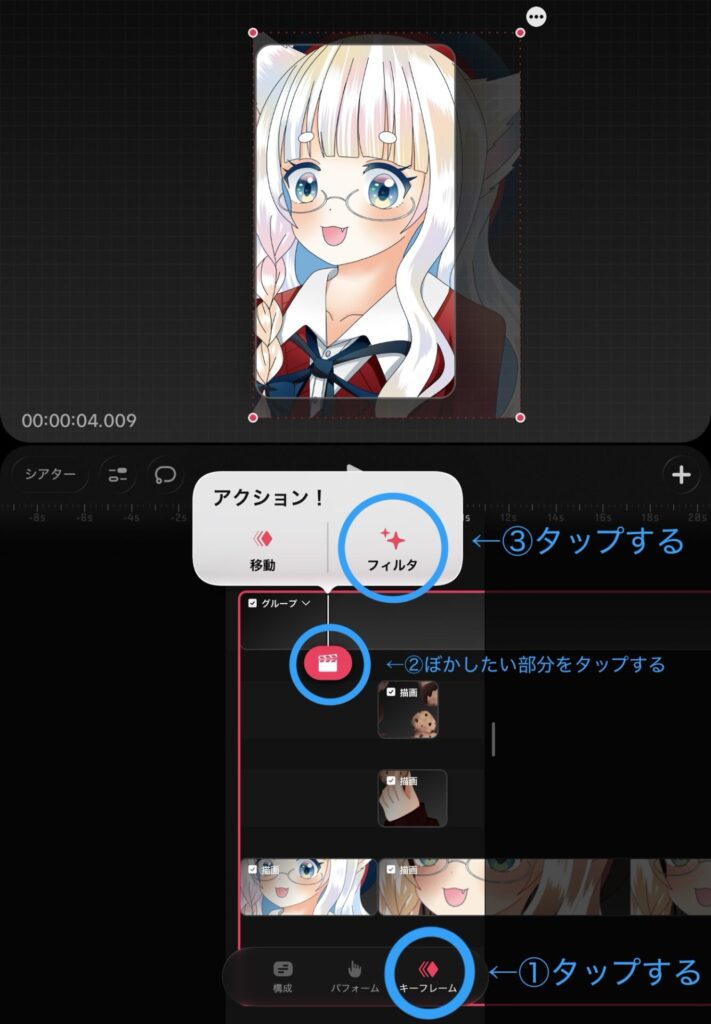
Next, to blur the image, tap the keyframe (①), tap the action button (②) where you want to blur, and then tap the filter (③).
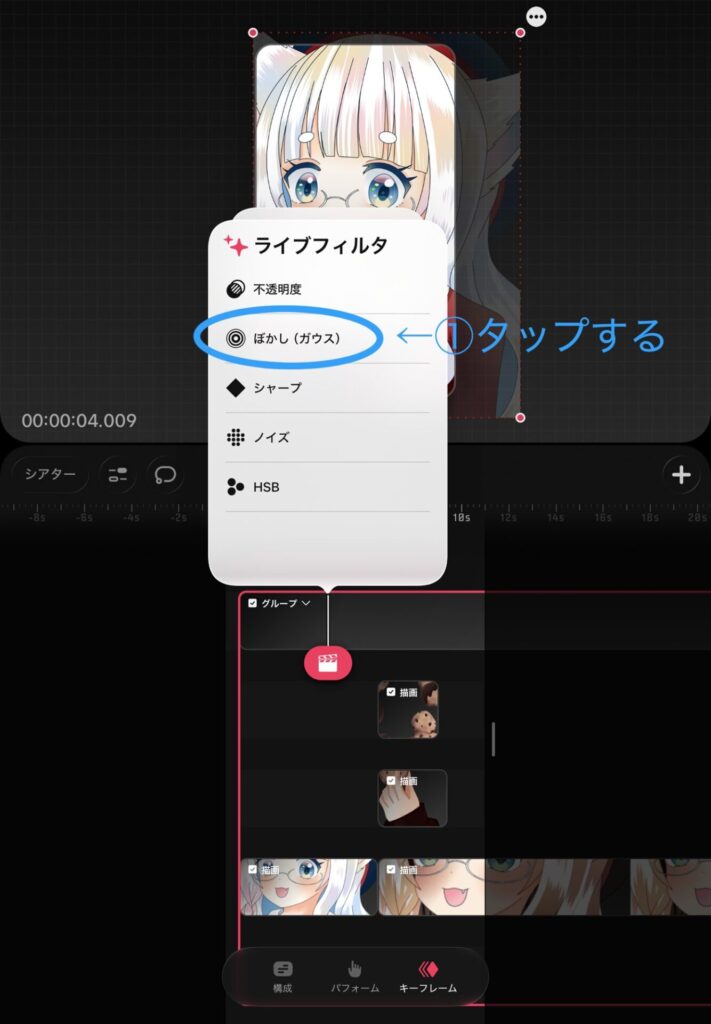
A screen called "Live Filters" will appear, so tap ① "Gaussian Blur".
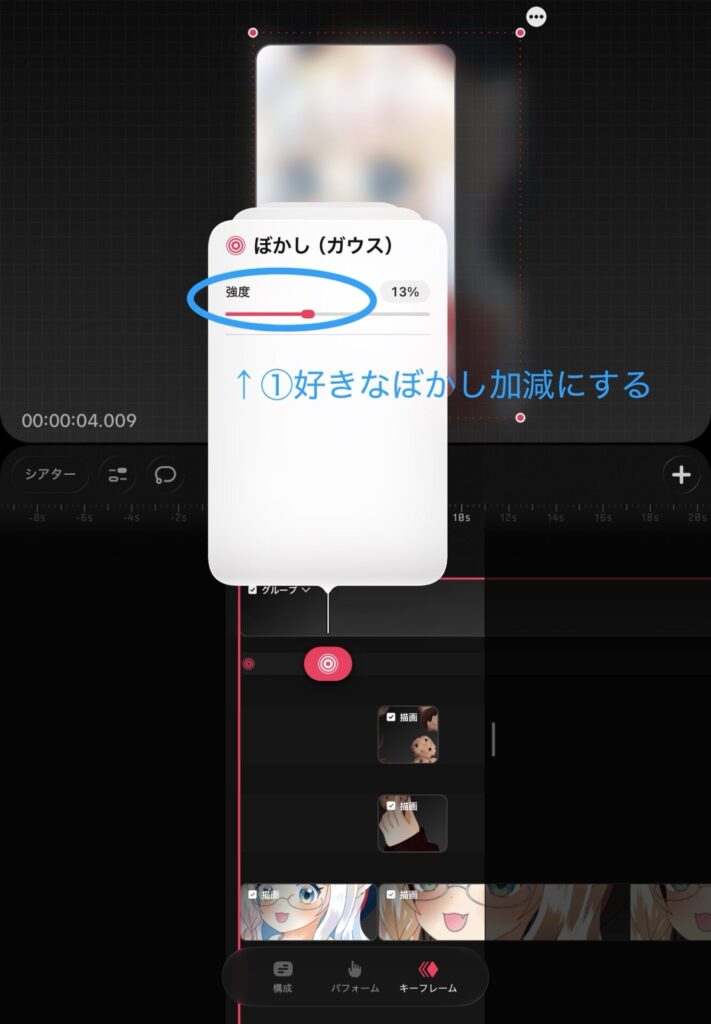
Then, you select the intensity of the blur.
This time13%I set it to that.
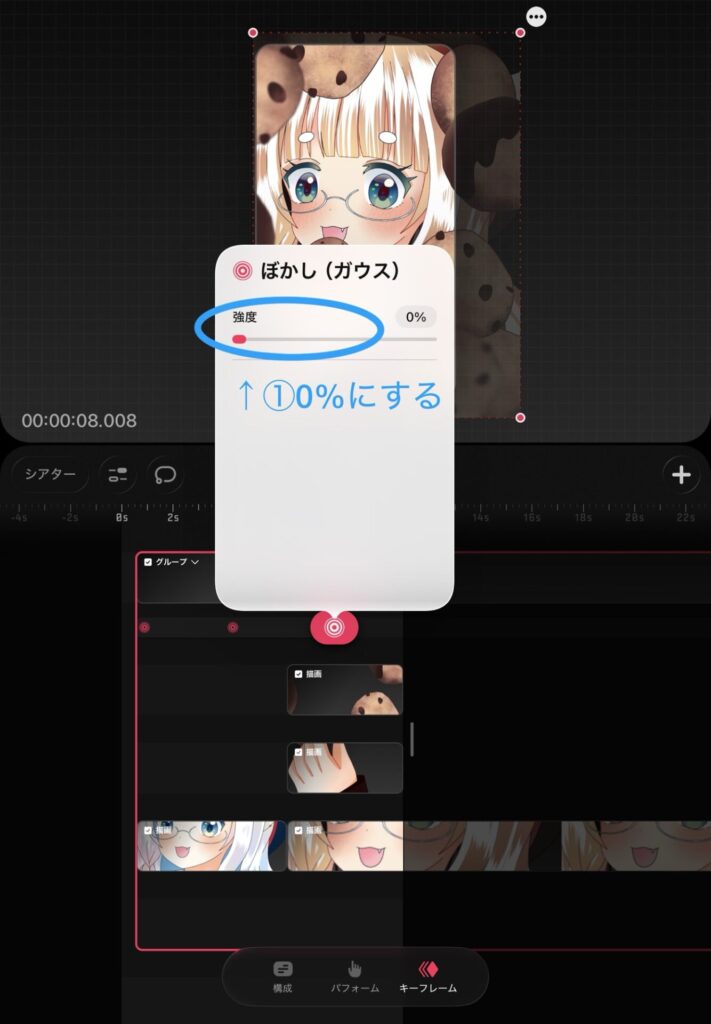
To remove the blur from a particular area, move the action button. 0% Just put it back, and you're good to go.
Finally, you can move the cookie and hand parts using the Perform tool to complete it.
In addition,I also post videos on YouTube.
I highly recommend it because you can create a short video just by editing a single illustration.
If you'd like, I'd be happy if you could enjoy it along with the behind-the-scenes look at the production. → YouTube is here
(Your channel subscriptions and requests are truly encouraging!)
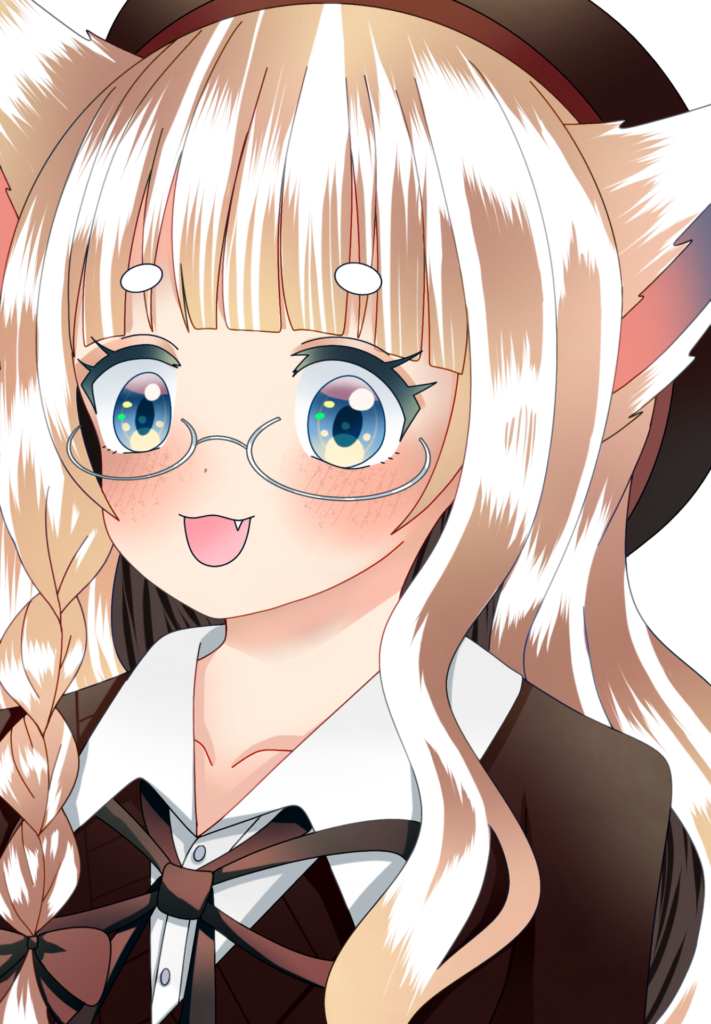
Finally, here's a comparison of the eye color processing.
I layered brown on top to blend it in, but I actually prefer the unprocessed look because it gives off more of an exotic girl vibe.
Which do you prefer?
I would appreciate it if you could let me know in the comments.
This time too, my usual partner iPad Air × Procreate × Apple Pencil It was created using a combination of these elements.
The Apple Pencil makes it easy to draw even in small areas, and I feel it's a really good match for my drawing style.
If you found this article helpful and would like to support it,
Receiving encouragement from OFUSE is very motivating.
Your support will be instrumental in creating illustrations and updating my blog.
Thank you very much for reading to the end.
Thanks to everyone who always reads my work, I can continue to create.
I look forward to your continued support.
For those looking to improve their work efficiency, we also recommend this article inspired by Van Gogh's "Little Window." It summarizes how to use your field of vision and create an environment conducive to concentration, which will be helpful when you want to boost your creative performance.
 How to turn a single illustration into a video in Procreate Dreams! How to use grouping and Gaussian blur.
This article introduces how to use Stickybones, which is useful for studying poses and creating compositions.
This is useful when thinking about character movements.
How to turn a single illustration into a video in Procreate Dreams! How to use grouping and Gaussian blur.This article summarizes basic information about Procreate Dreams, why I purchased it, and what I want to do with it.
How to turn a single illustration into a video in Procreate Dreams! How to use grouping and Gaussian blur.